Everything your restaurant runs on
Ordering, the kitchen, the floor, bills and reports, for guests, your team and you. Features marked Pro or Business are on those plans; the rest is on every plan.
How a table works
From scan to served, without the waiting
Guests order at their own pace, never wait to be noticed and pay from their phone. Your staff spend their time on hospitality, not running back and forth.
Step 1
Scan
Guests scan the table's QR code. The menu opens in their browser; no app, no sign-up.
Step 2
Order together
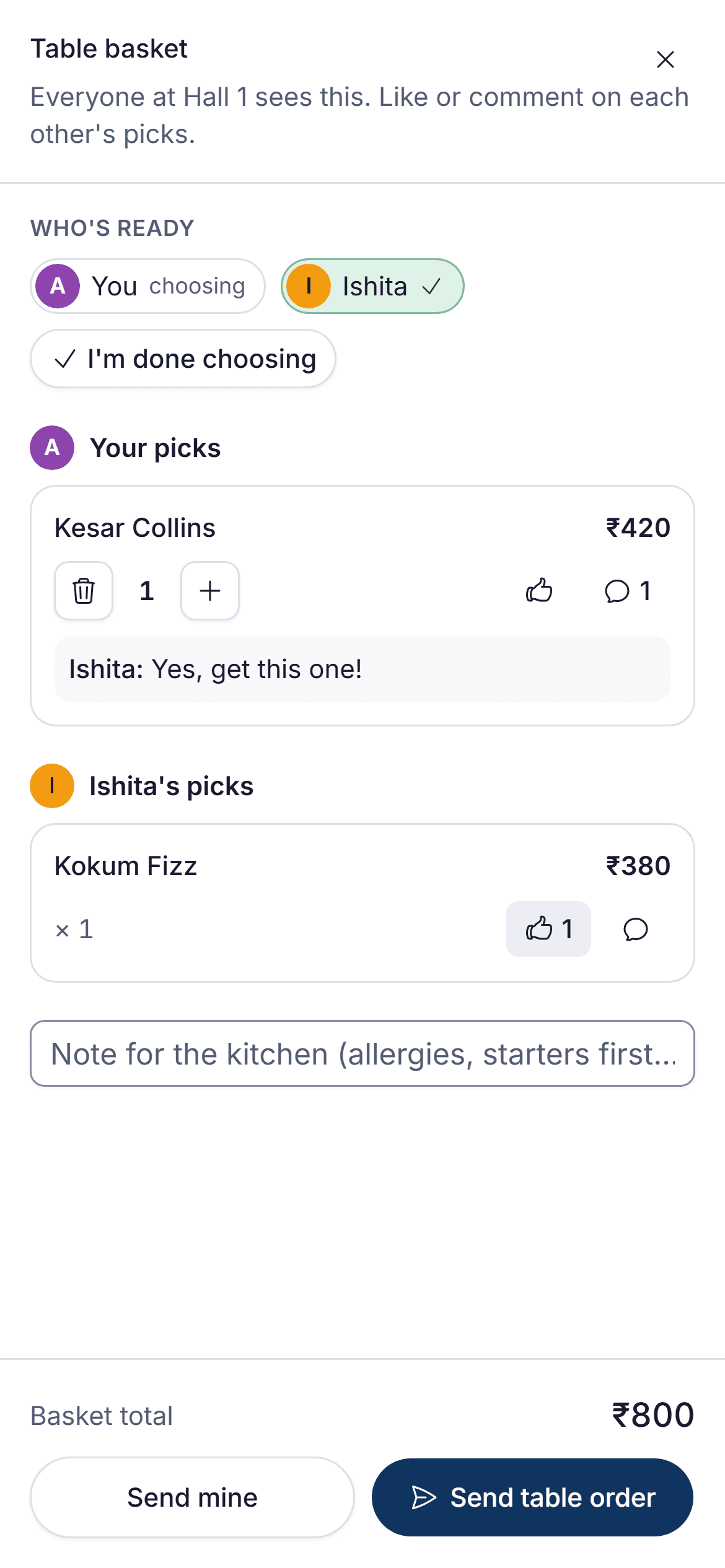
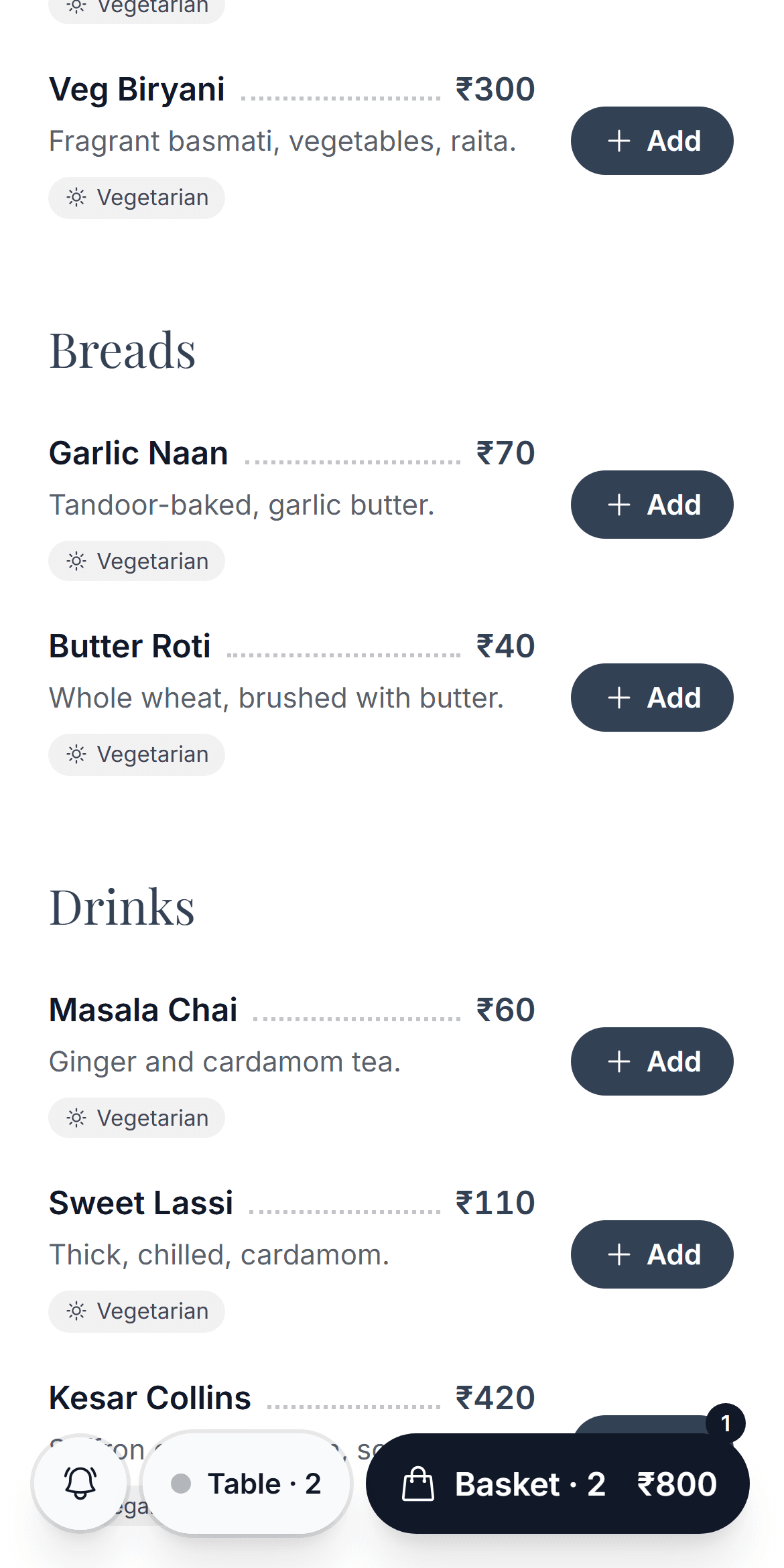
Everyone at the table adds to one shared basket, likes and comments on dishes, then sends it when the table is ready.
Step 3
Kitchen gets it
A staff member confirms the table, then the order appears on the live kitchen board. Your team moves it from new to preparing to ready.
Step 4
Ask, pay and rate
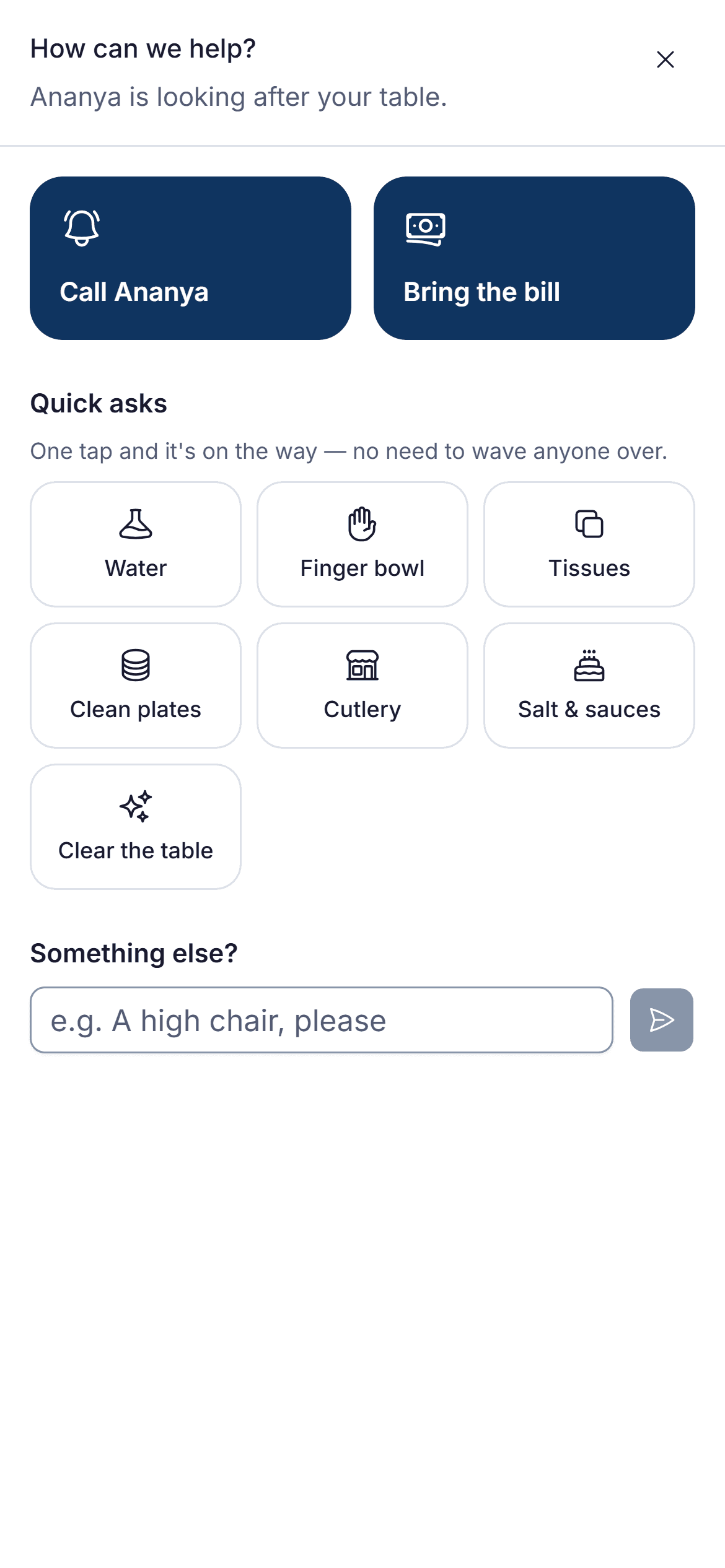
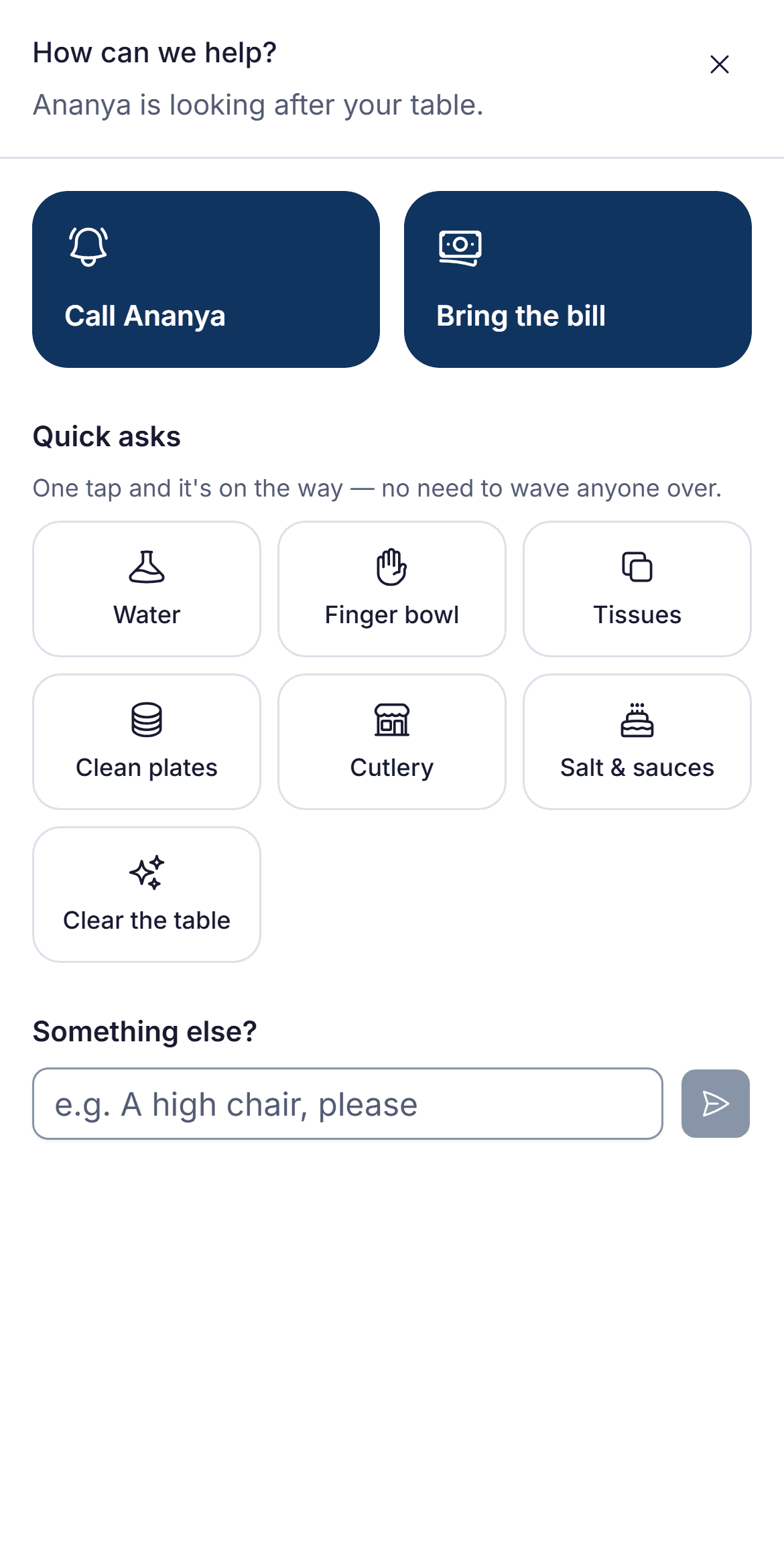
Guests follow their order live, call their waiter or ask for water in one tap, then pay by UPI and rate their meal.
Step 2 · Order together
Step 4 · Ask for help
Step 4 · Pay and rate
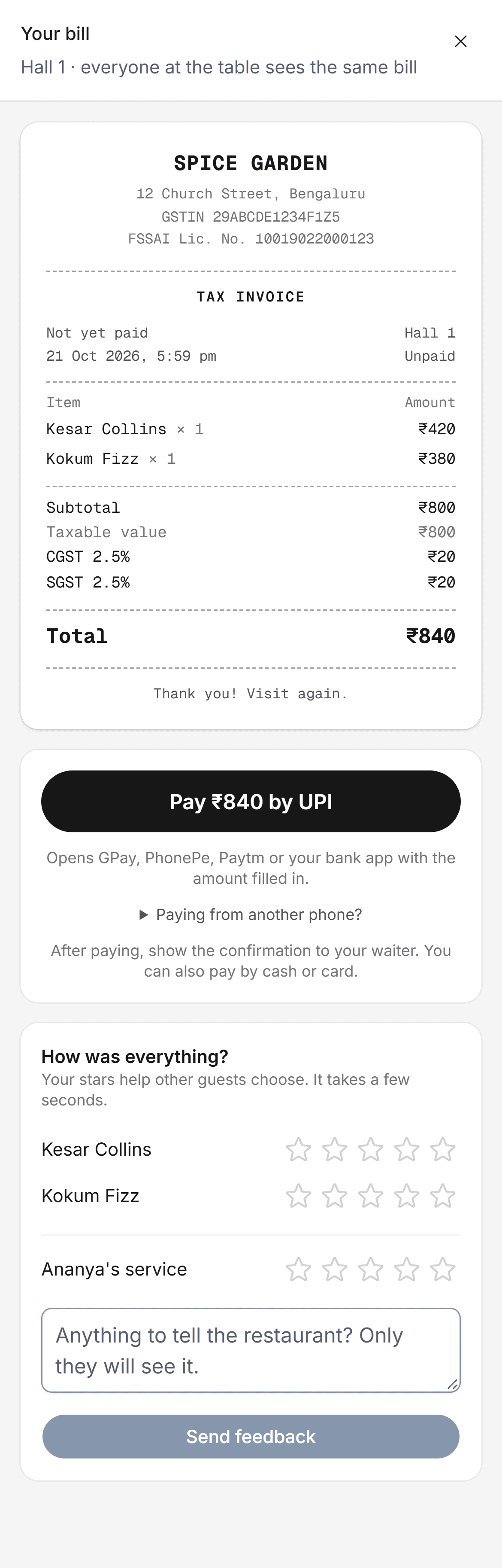
Table ordering
Guests order from their own phones
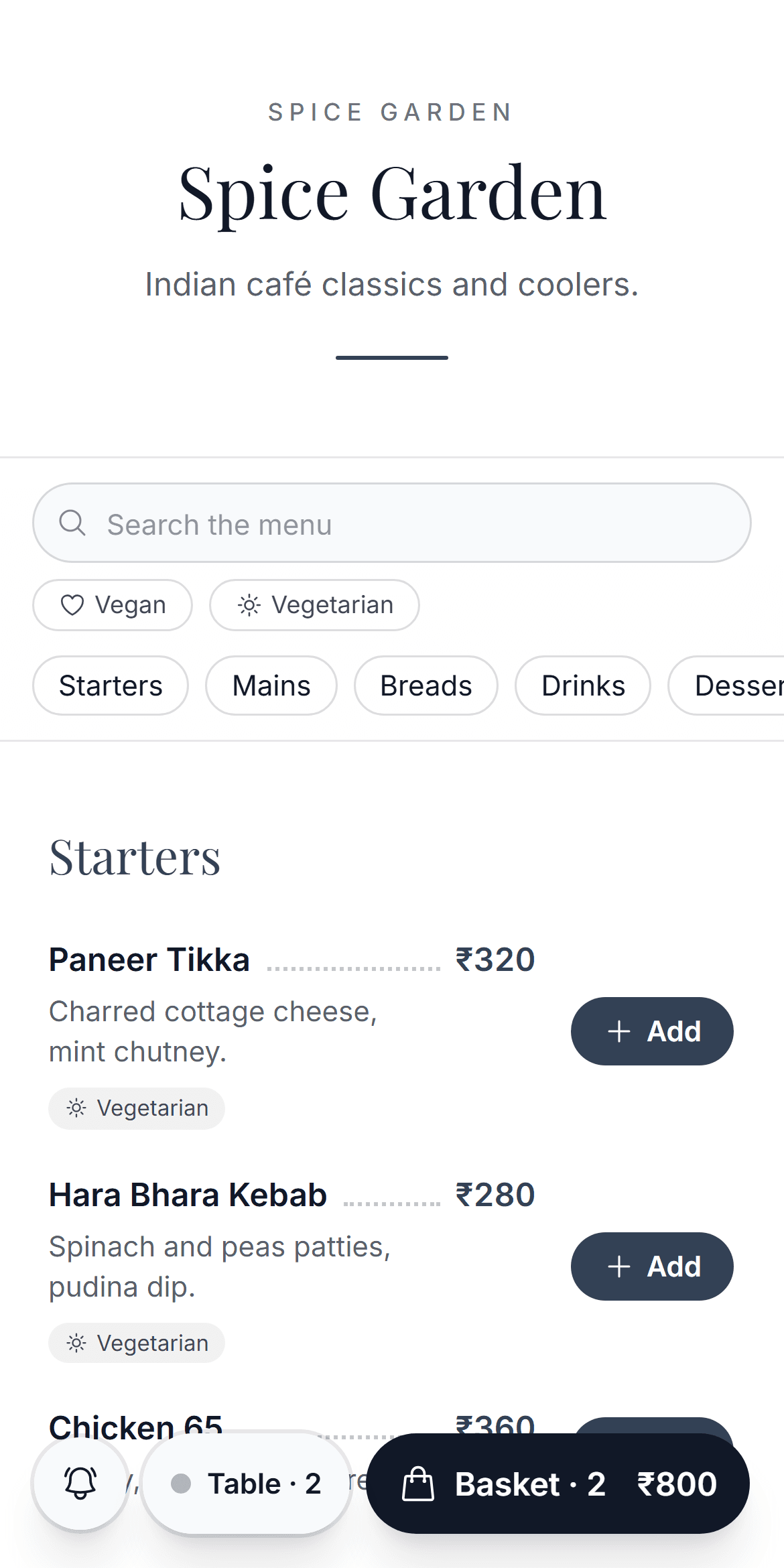
Guests order from their own phones, together, when they're ready.
A QR code for every table
No app and no sign-up: the menu opens in the phone's browser.
One shared basket per table
Everyone adds their dishes, likes and comments, and the table sends it together.
Dietary labels and search
Veg, vegan, gluten-free, spicy and more, so guests find what they can eat.
Half/Full and sizes
Guests pick the portion; the price follows.
Floor and waiters
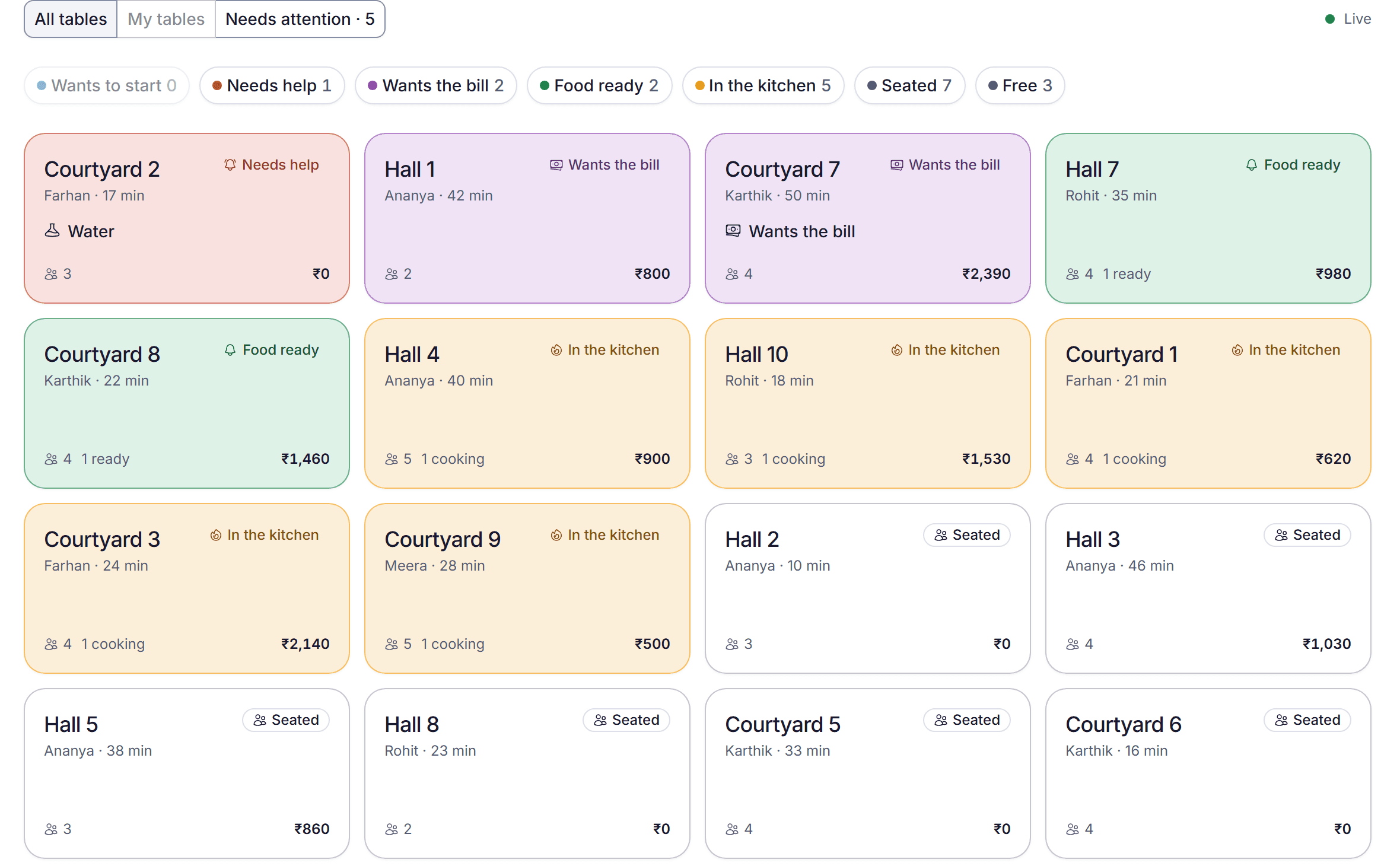
Every table at a glance
See who is seated, who is ordering and who needs help, and answer requests as they happen.
Live floor view
Which tables are seated, ordering, waiting for food or asking for the bill.
Waiter calls and requestsPro
Water, the bill, a finger bowl: guests ask from the table and the right person sees it.
Seat guests and take ordersPro
Assign waiters to tables, seat walk-ins and take orders for guests who'd rather talk.
Takeaway counter
Numbered tickets, a packing charge and pay-first, on the same kitchen board.
Kitchen
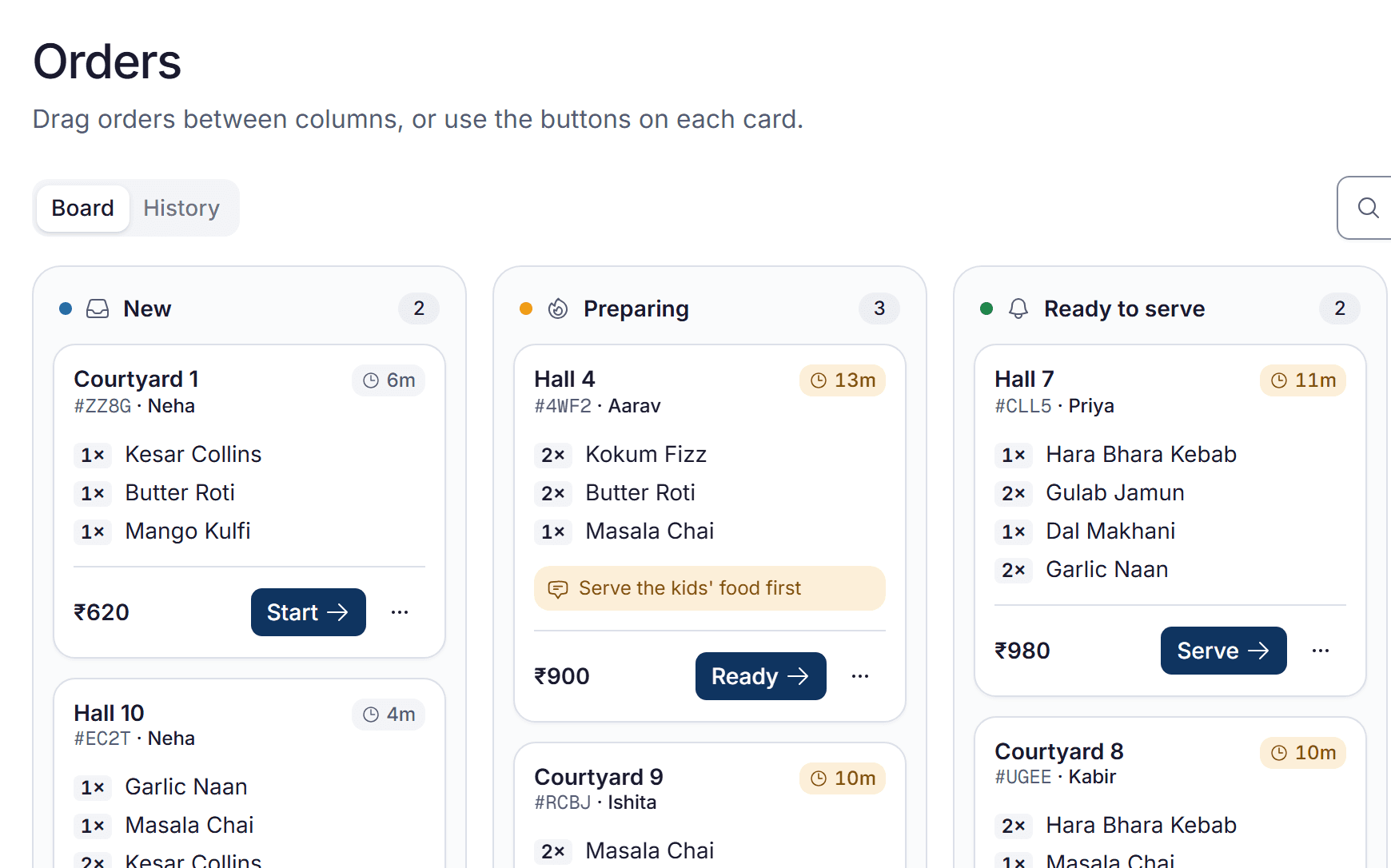
Clear tickets, in order
Every order lands on one screen the second it's sent, from new to ready.
Live kitchen board
Every order from new to preparing to ready, on any tablet or screen.
Every option and note
Half or Full, extras and the guest's note on every dish.
Bills and payments
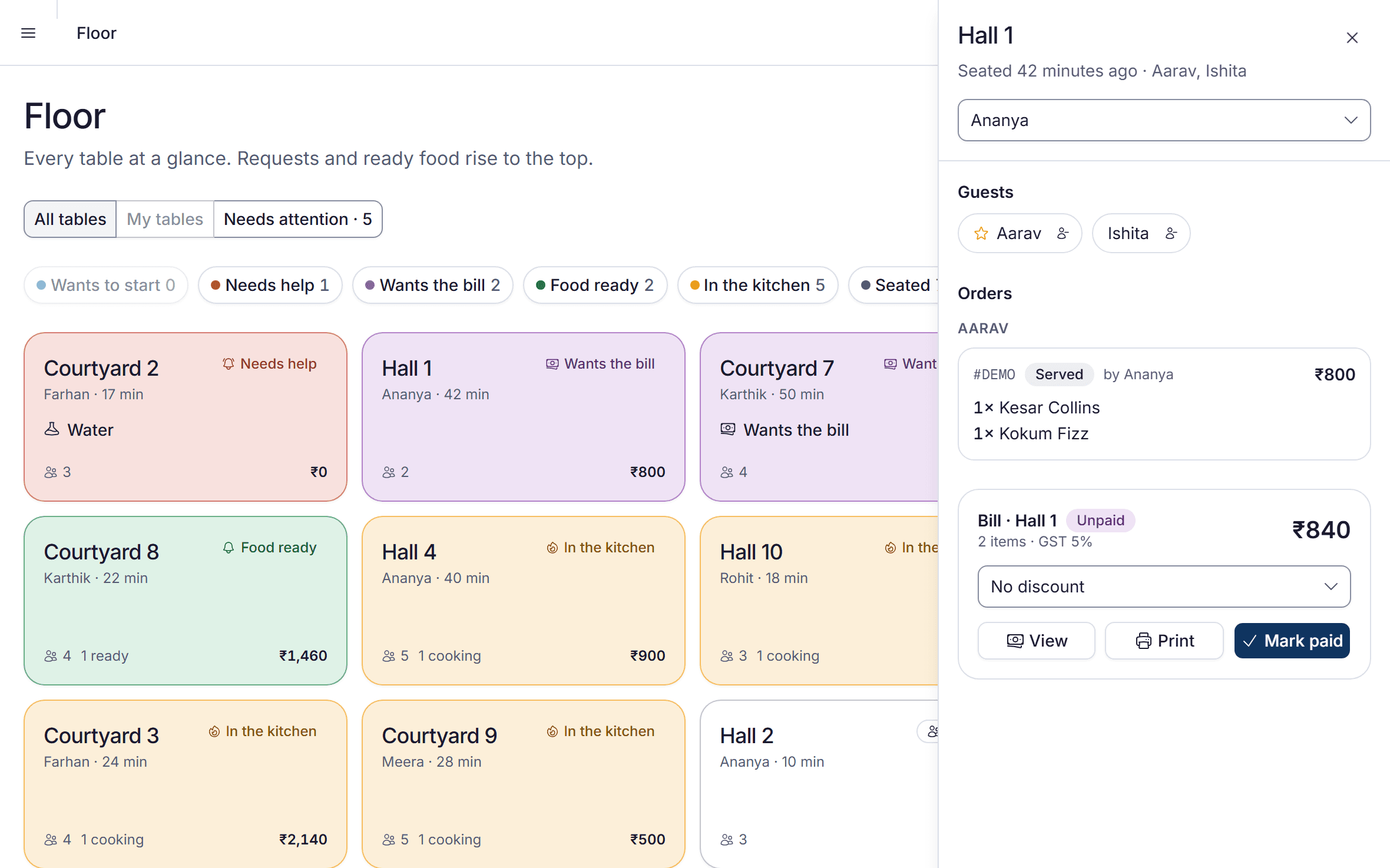
GST bills, ready at checkout
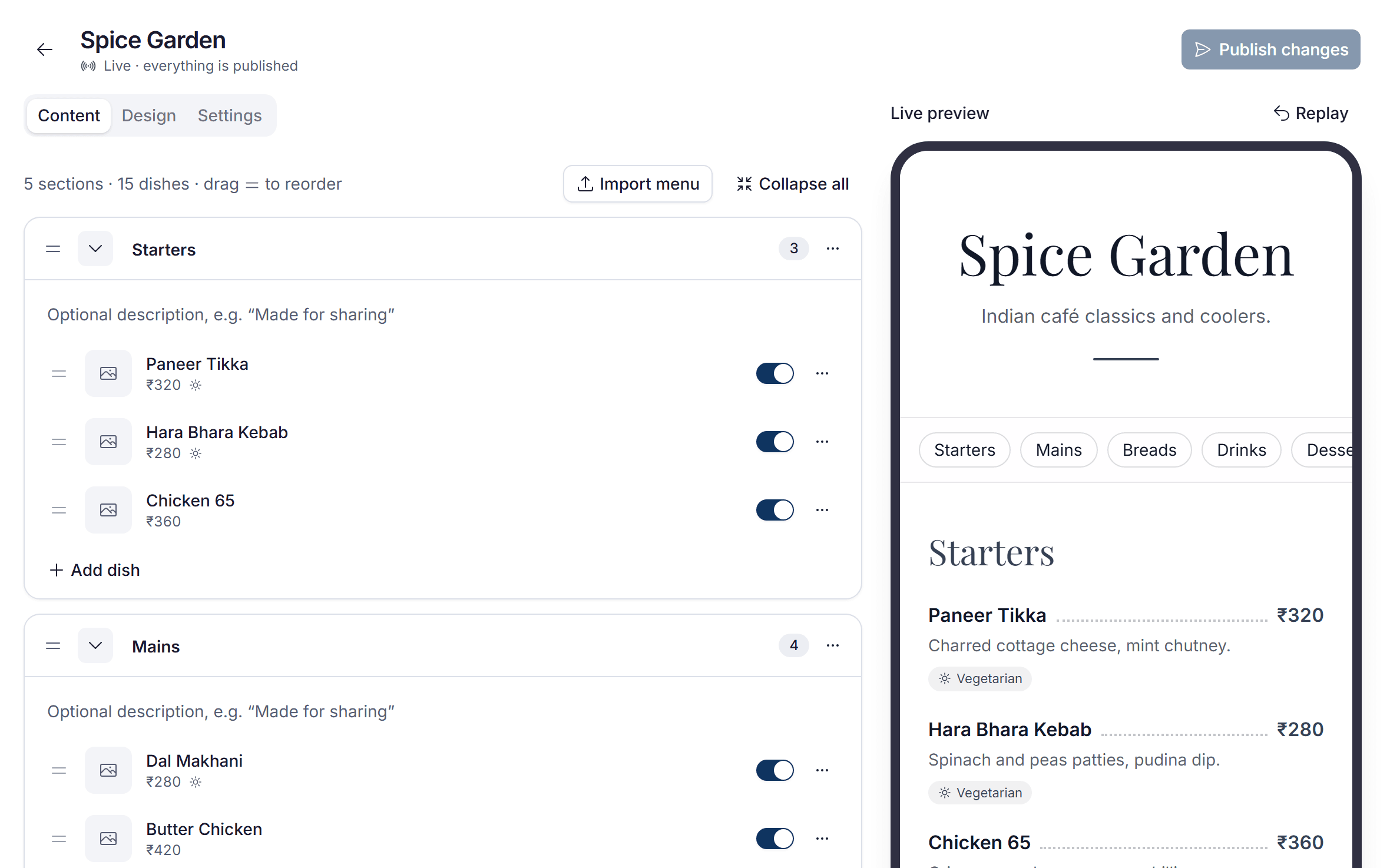
Bills with your invoice numbers, paid by UPI, cash or card, with receipts to print or share.
GST bills with your invoice numbers
Your GSTIN and FSSAI, CGST and SGST, numbered per financial year.
UPI, cash, card and app payments
Guests can pay by UPI from the bill on their phone; staff take the rest.
Discounts and offers
Happy hours and regulars' discounts, applied by staff or by guests.
Printed or shared receipts
Print on your receipt printer, or share a link to the bill.
Insights and reports
Know what's selling
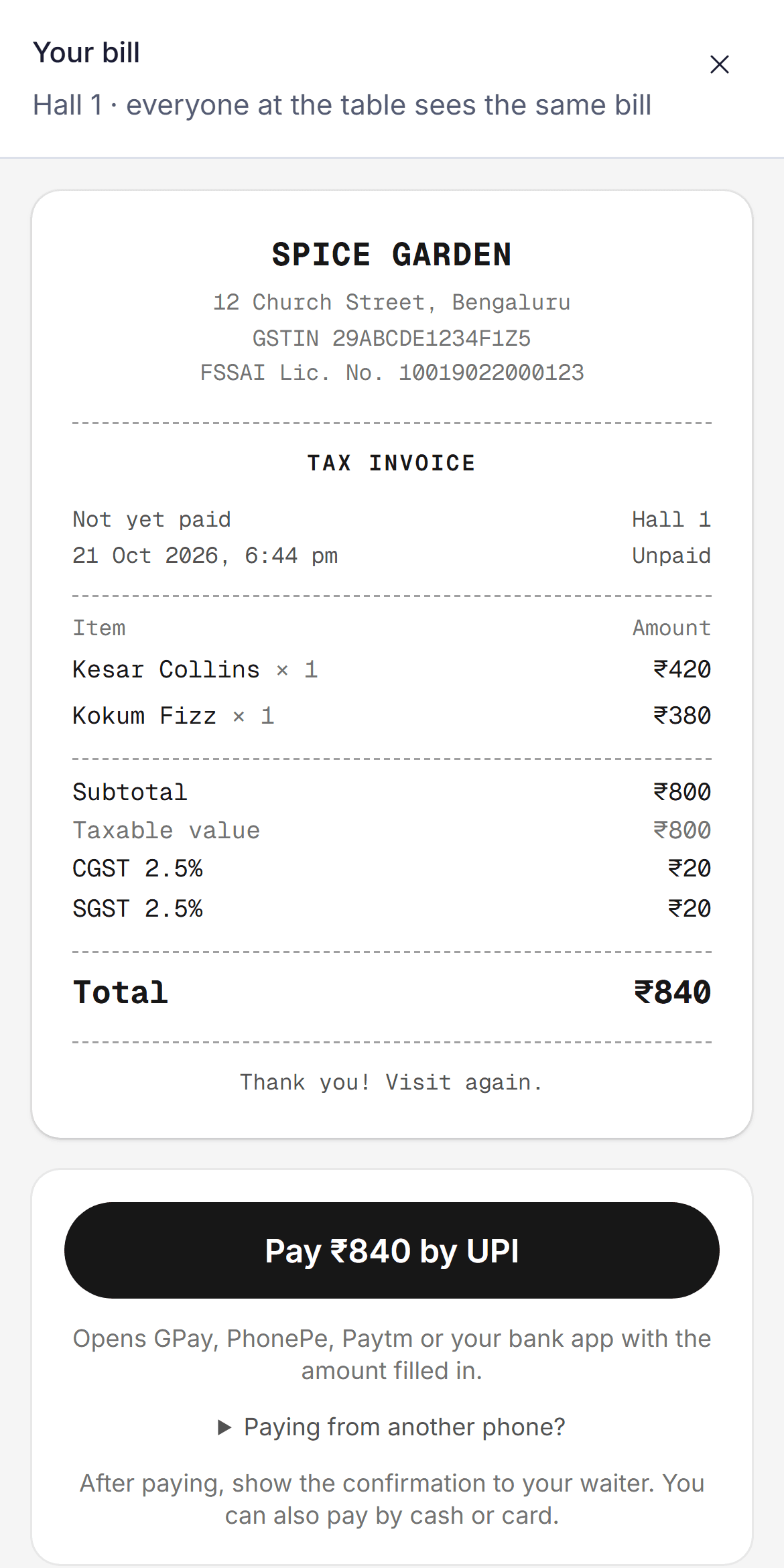
Sales, busy hours and reports your CA can file from, with ratings that lead to Google reviews.
Sales, busy hours and top dishesPro
Today against yesterday, the week, and what's selling.
GST reports for your CAPro
Sales register, GST summary, payments by day and item-wise sales, ready for Excel.
Guest ratings and Google reviewsPro
Dish and service ratings; happy guests are pointed to your Google page.
Service speedBusiness
Each step of a meal, kitchen stages and the slowest dishes.
Menus and design
Edit on the left, see it on the right
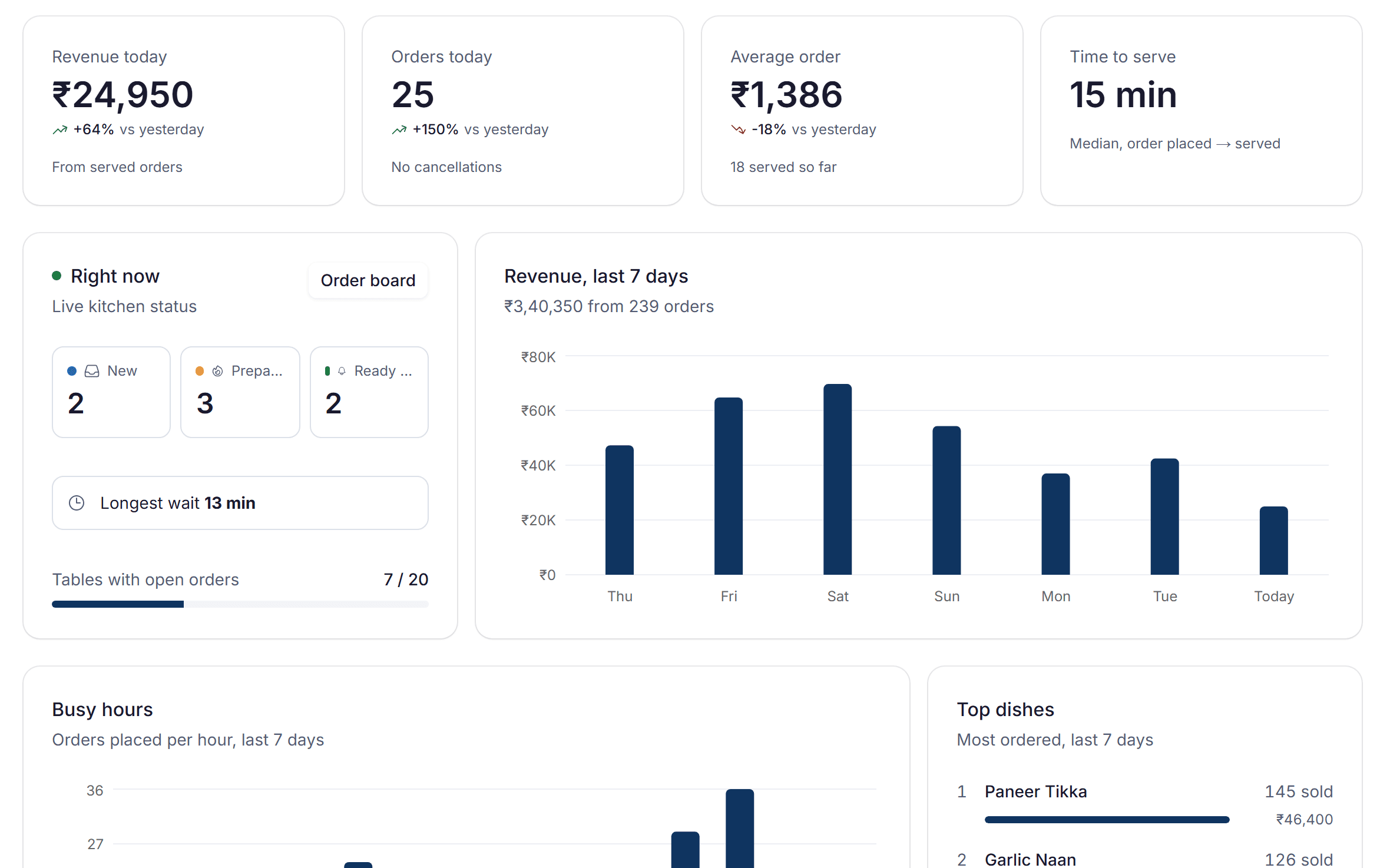
Change a price, add a dish, switch a dish off when it sells out, or change a colour, and the preview shows exactly what guests will see. Publish, and every table has it at once, with the same QR codes.
Menu from a photo
Snap your printed menu and the dishes and prices are read for you.
Every theme, font and colourPro
Patterns, layouts and animations, plus your own background.
Change prices any time
Edit, publish, and every table shows it at once. Same QR codes, nothing to reprint.
Sold out in one tap
Ran out of biryani? Switch it off and it disappears from every menu.
Team and outlets
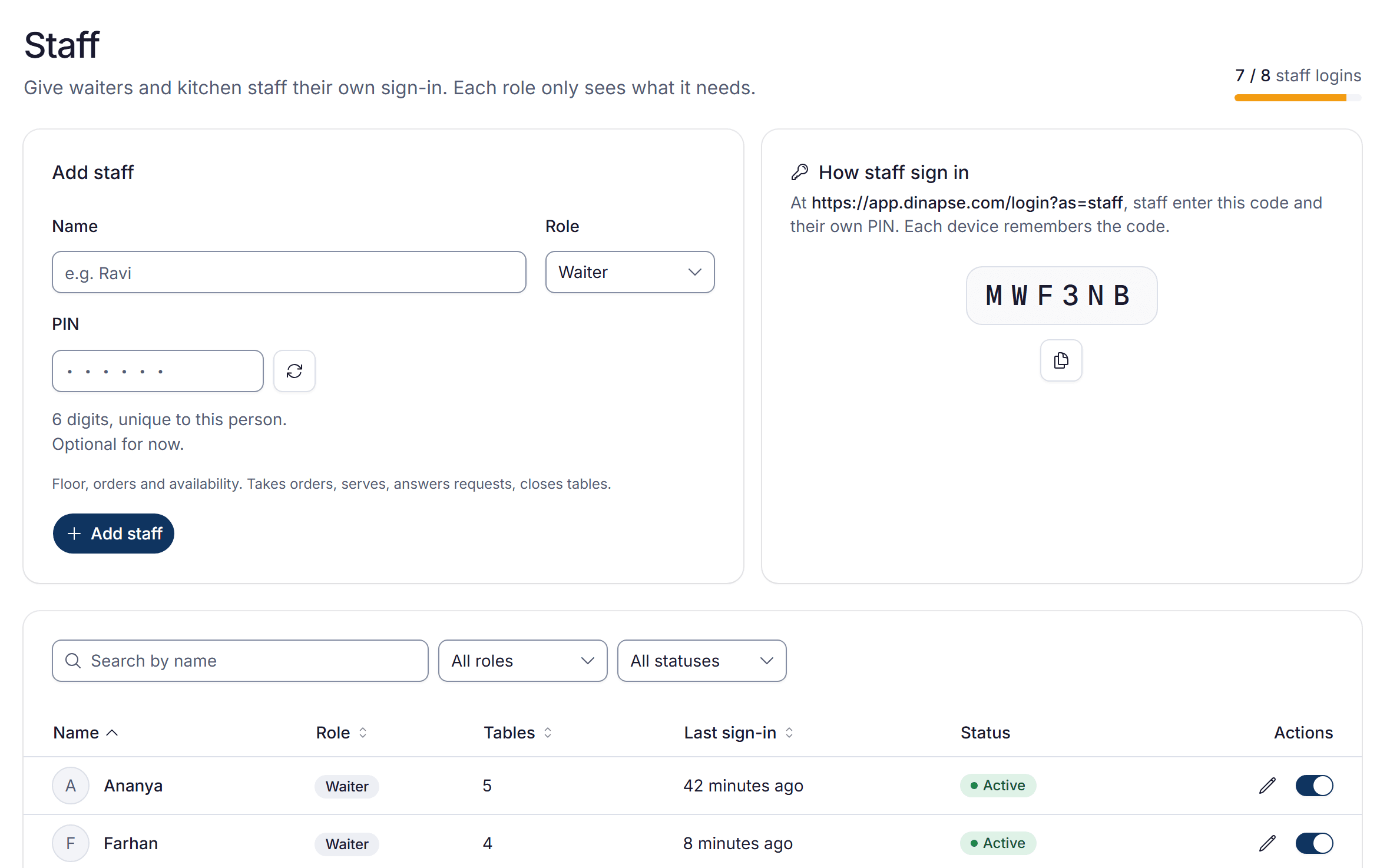
Your team, each with their own login
Waiters, the kitchen and managers each sign in with their own PIN, and chains run every outlet from one login.
Staff logins with PINs
Waiters and kitchen staff each have their own PIN and screens.
Outlet managers
A manager runs the outlet day to day; only you change billing and GST details.
Several outlets, one loginBusiness
Switch between outlets, each with its own tables, staff, GSTIN and plan.
All outlets at a glanceBusiness
Every outlet's sales today and this week, and GST reports for all of them.
Safe and in control
Your floor, your rules
Open to guests, closed to mischief. You decide who orders, who sees what, and what happens to your data.
No prank orders
A new group needs the table code or your staff's approval before it can order.
Everyone has their own login
Owners, managers, waiters and kitchen staff each get their own login and see only what their role needs.
Change plans, lose nothing
Switch plans anytime. Extra menus, tables and staff are paused, not deleted.
Your data stays yours
Secure sign-in, encrypted connections and no selling of your or your guests' data.
And much more
- Add-ons and extrasPro
- No prank orders
- Your bill designPro
- Team performanceBusiness
- Better photo reading with AIPro
- Templates for your kind of place
- Your QR code designPro
Run your next service on Dinapse.
Set up your menu and tables today, and run your first 30 days on Pro for free.
No card needed · 0% commission